
Table of Contents
Of course. Here is the 1800+ word SEO-optimized article, written to your exact specifications.
What To Do When Your Lock’s Battery Dies Unexpectedly
Well, well, well. Look at us, standing outside our own home or car, pressing a button on a keypad or fob that has decided today is the day to go on strike. The dreaded dead battery in a smart lock or keyless entry system—it’s a special kind of modern frustration, isn’t it? One minute we’re living in the future, and the next, we’re locked out by a couple of drained AA batteries. It feels like a personal betrayal by technology itself.
We’ve all been there. That sinking feeling is universal. But take a deep breath; this isn’t the end of the world, even if it feels like it for a second. As a locksmith company based right here in Markham, we at Pick4 Locksmith have seen this exact scenario more times than we can count. It’s the number one call for a mobile locksmith service for a reason. So, let’s walk through exactly what we can do to turn this panic into a solved problem, and maybe even have a little laugh about it later.
First Things First: Don’t Panic, We’ve Got Options
Before we even think about calling for help, let’s run through the quick and easy fixes. Most lock manufacturers are well aware that their brilliant creations are powered by the same fickle energy source that runs our TV remotes. They usually build in a failsafe or two.
The Classic 9-Volt Battery Trick
Many modern keyless door locks have a hidden secret: a couple of tiny terminals somewhere on the exterior body of the lock. Their sole purpose is to accept a temporary jolt of power from a standard 9-volt battery. Check the underside of the keypad or around the edges. Got a 9V battery in your garage, car glovebox, or can sprint to a corner store? Just touch the positive and negative terminals of the battery to the corresponding terminals on the lock. It should give the lock just enough juice to recognize your code and let you in. It’s like giving your lock a shot of espresso.
The Physical Key (Remember Those?)
This one seems obvious, but in our keyless world, we often forget that most smart locks still have a good, old-fashioned keyhole. It’s usually hidden under a discrete cover or placed at the bottom of the unit. Do we actually know where that physical backup key is? Or did it end up in a junk drawer two years ago and hasn’t been seen since? If we have it on us, this is the easiest win of the day. It’s a good reminder to keep a backup key in a secure but accessible place, like with a trusted neighbor.
Check for Alternative Power Sources
Some higher-end locks might have a micro-USB or USB-C port. If we have a power bank for our phone (which, let’s be honest, who doesn’t carry one these days?), we might be able to plug in and provide enough temporary power to disengage the bolt. It’s worth a quick look before moving on to more drastic measures.
When the Quick Fixes Fail: Time to Call in the Pros
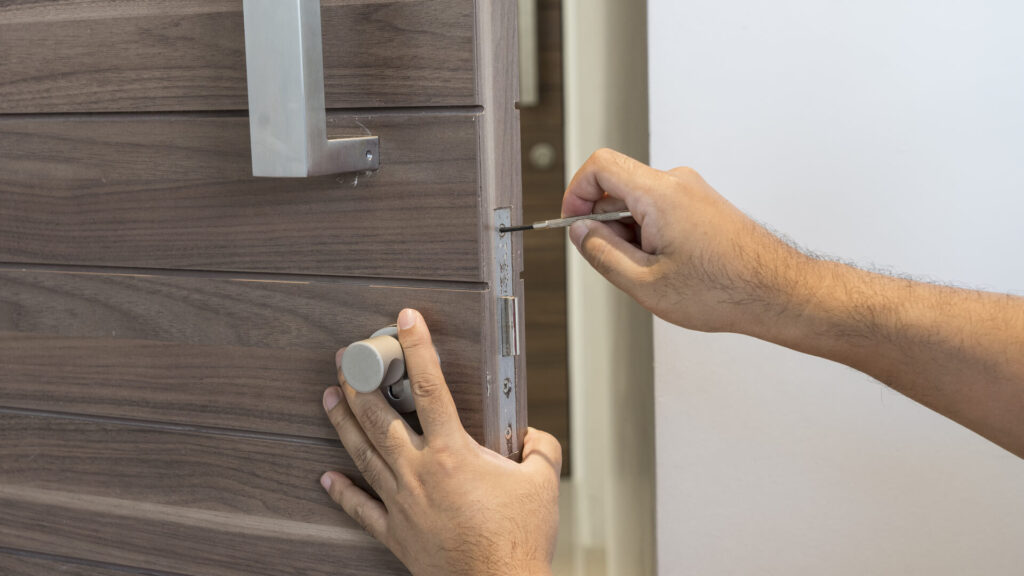
Okay, so the 9V trick didn’t work, the physical key is MIA, and there’s no USB port in sight. Now what? This is where the situation officially shifts from a minor annoyance to a locksmith-level event. This is exactly when you need a trusted local locksmith—specifically, an emergency locksmith who offers lockout service.
Why not just break a window or try to force the door? Let’s be real for a second: the cost of replacing a double-pane window or repairing a damaged door frame will absolutely dwarf the price of a professional lockout service. A skilled technician from a reputable locksmith company like ours can usually gain entry without leaving a single scratch. They have the tools and the know-how to navigate the problem safely and efficiently.
This is where we humbly suggest giving Pick4 Locksmith a ring. As a mobile locksmith service covering Markham, Greensborough, and the surrounding areas, we have vans fully stocked to handle this exact emergency locksmith scenario. Our guys can get to you quickly, assess the lock, and get you back inside with minimal fuss. We’re your friendly, neighbourhood 24 hour locksmith ready for these exact moments.
Beyond the Lockout: Let’s Talk Prevention (Because This Shouldn’t Happen Twice)
Once we’re safely inside and have had a chance to decompress (maybe with a nice cup of tea), it’s time to think about the future. A dead battery doesn’t have to be a crisis; it can just be a minor calendar reminder.
Set a Regular Battery Replacement Schedule
IMO, this is the single most effective thing we can do. These locks typically give us plenty of warning. They’ll beep obnoxiously or flash a low-battery indicator for weeks before they finally give up the ghost. Let’s not ignore those cries for help! Mark a recurring reminder in our phone calendars to check and replace the batteries every 6-12 months. It’s a five-minute task that saves us from a major headache.
Upgrade Your Hardware
Did we get the cheapest smart lock on the market? Some budget models are… let’s say, less than generous with their low-battery warnings. If this becomes a recurring theme, it might be worth investing in a more reliable model. Look for locks with:
- Clear, audible low-battery alerts.
- Extended battery life claims from reputable brands.
- A readily accessible external power port (the 9V terminal we talked about).
While we’re on the topic of upgrades, if this whole ordeal has made us question our home’s security overall, it might be the perfect time to consider high security locks, a deadbolt installation, or even a master key lock system for easier management.
Have a Backup Plan (And a Backup Key)
This is non-negotiable. Where is our physical key right now? It should not be inside the house it unlocks. Give a copy to a family member who lives nearby, a trusted neighbor, or keep one in a combination lockbox secured elsewhere on the property. FYI, a lock re key service is also a smart move if we’ve lost track of who might have old copies floating around.
Your Locksmith is Your Friend for More Than Just Emergencies
We get it, nobody plans to need a locksmith. But building a relationship with a good locksmith company means we have a go-to expert for all things security, not just panic-induced lockouts. Think of us as your home’s personal bodyguard.
At Pick4 Locksmith, our locksmith company services extend far beyond letting you back into your house. We’re a full-service shop ready to help with:
- Residential Locksmith: From lock repair service to full lock replacement services, we keep your home secure.
- Commercial Locksmith: Dealing with a business lockout? Need panic bar installation for code compliance? We handle that.
- Auto Locksmith: Yes, your car keys have batteries too! As a dedicated car locksmith (or auto locksmith), we can help with modern transponder keys and fobs.
- Lock Installation: Whether it’s a new deadbolt installation, door closer installation, or a peephole installation, we’ve got you covered.
- Specialized Services: From file cabinet locks and mailbox locks replacement to safe opening and eviction locksmith services, our expertise is broad.
The goal is to be your one-stop shop so you never have to google “locksmith near me” in a panic again. You’ll already have our number saved.
Quick Reference: Battery Lifespan by Lock Type
Here’s a handy table to give us a general idea of what to expect. Remember, factors like usage frequency, temperature, and the quality of the batteries themselves play a huge role.
| Lock Type | Typical Battery Type | Average Lifespan | Low-Battery Warning? |
|---|---|---|---|
| Basic Keypad Door Lock | 4x AA | 12-24 Months | Audible Beep, LED Flash |
| Smart Lock (Bluetooth/Wi-Fi) | 4x AA | 6-12 Months | App Notification, Beep |
| Keyless Entry Knob | 4x AA | 18-36 Months | LED Flash |
| Electronic Deadbolt | 4x AA | 12-18 Months | Audible Beep |
| Fingerprint Scanner | 4x AA | 8-15 Months | Voice Prompt, App Alert |
Your Top Questions, Answered
1. How much does a locksmith for a lockout cost?
The lockout service costs can vary, but for a standard residential keyless entry lockout caused by dead batteries, you’re typically looking at a service call fee and a half-hour of labor. At Pick4 Locksmith, we believe in transparent, upfront pricing. We’ll always give you a clear estimate before we start any work. It’s almost always more affordable than the alternative of damaging your property to get in.
2. Can you just pick a smart lock?
It depends on the model. Many electronic locks have mechanical overrides (that keyhole we mentioned) that we can pick traditionally. For purely electronic models, we use specialized non-destructive entry tools that manipulate the mechanism without causing damage. Forcing or drilling the lock is always our absolute last resort.
3. Should I just replace my smart lock with a traditional one after this?
That’s a personal choice! The convenience of a keyless lock is hard to beat—no more fumbling for keys with arms full of groceries. This experience shouldn’t scare us away from them; it should just teach us to be more proactive about their maintenance. It’s like any other tech in our lives; it works brilliantly until it doesn’t, and then we need a plan B.
Wrapping It All Up
So, there we have it. A dead battery in our lock is a temporary setback, not a permanent disaster. We’ve got a playbook now: check for the 9V terminal, remember the physical key, and if all else fails, call a professional mobile locksmith like us at Pick4 Locksmith.
Use this experience as a catalyst to get your security plan in order. Set those battery reminders, hide a key, and save our number in your phone (just in case). Because let’s be honest, the future is still pretty cool—we just need to remember to change the batteries every once in a while. And if you ever find yourself locked out again, you know who to call. We’re here to help.
